- 01
What was that wine?
The one from your birthday dinner. The bottle you loved on holiday. You took a photo so you’d remember, but now it’s lost somewhere between a sunset and your lunch. Somi spots the wine bottles in your iPhone’s photo library and helps organize them into your collection. No digging through thousands of photos required.
- 02
Remember more than the wine.
A bottle is only half the story. Keep the details that matter to you: where you had it, who was there, the occasion and what you thought. Because the people, places and little moments are what make a good bottle even better.
- 03
Just take a photo.
Enjoying a great bottle? Take a photo and get back to the moment. You don’t need to open the app. Somi spots wine photos in your library and can give you a ping the next day to add them to your collection. That way, a good memory doesn’t get buried in your camera roll.
- 04
You’ve got good taste. Get to know it better.
You know what you like when you taste it. Somi helps you work out why. Maybe your favorite whites share a bright, citrusy character, or the reds you love come from vines grown in limestone soils. As you use Somi, it connects the dots. So the next time someone asks what you like, you’ll have an answer—and a few ideas for what to try.
- 05
There’s something you’ll love on that list.
A wine list that looks more like a book? We’ve been there. Take a photo and ask Somi for a recommendation. It can suggest bottles with your taste in mind, point out wines your friends have tried, and help you tell the sommelier what you like.
- 06
See your bottles on a map.
“That bottle we had at that little bar in Istanbul…” Sometimes the place is all you remember. Somi pins your bottles on a map, so you can find your way back to the bottle, too.
- 07
Ask away.
What goes with spicy pasta? What’s the difference between Syrah and Shiraz? Where should you drink wine in Copenhagen? Just ask Somi. Chat about your bottles, what to open tonight, or where to find a wine bar or shop, and Somi will help you find an answer.
- 08
Your daily pour of Somi.
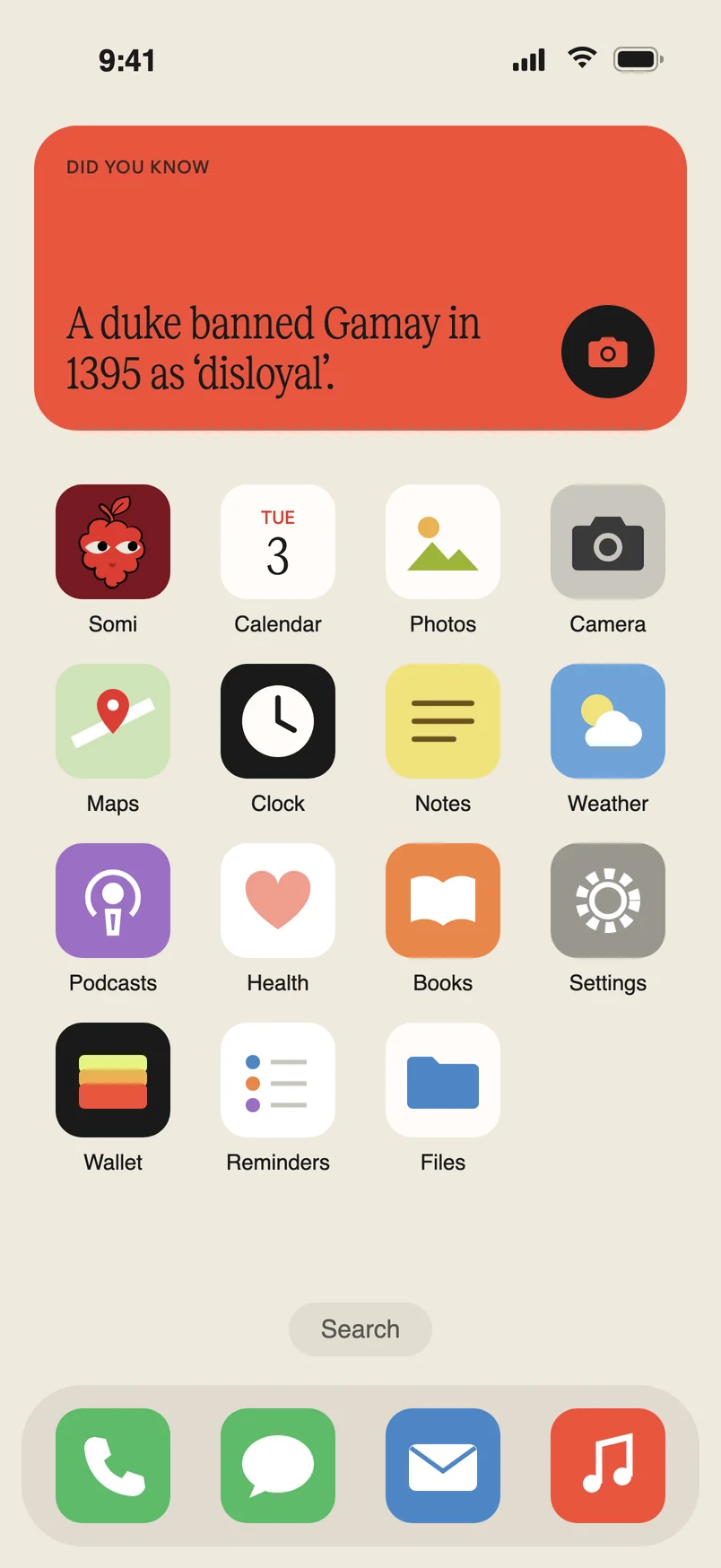
Add the Somi widget to your Home Screen for a daily wine fact and a quick way to scan a bottle. Point Visual Intelligence at a bottle to see if it’s in your collection or ask Somi about it. You can also ask Siri to scan a bottle, add a wine, or open your collection.
The thinking behind Somi.
You might be wondering: how does Somi find the wine in your photos? And what happens to those photos along the way? Your iPhone does more of the work than you might think. Here’s a closer look at how we built Somi with your privacy in mind from the start.
On your iPhone
Finding bottles in your photos
Your iPhone is a remarkably capable little computer. You’ve probably seen it at work in Photos: search for a dog, a beach or a familiar face, and your iPhone can help find the right photos. Somi uses that kind of on-device capability to spot wine bottles.
A small model we trained looks through your photo library on your iPhone, asking one question: is there a wine label here?
The first scan works through your library from newest to oldest, skipping screenshots. For photos stored only in iCloud, Somi checks the small copy already on your phone first and downloads a larger one only if the small copy looks like a bottle.
Somi doesn’t always get it right. A beer bottle might sneak in, or a particularly photogenic bottle of olive oil might try to pass as wine.
On your iPhone
You choose what gets added
Somi shows you what it found, and you choose what belongs in your collection. Photos you remove are never sent to our servers.
When you add a bottle, another model on your iPhone finds the label’s outline and cuts it out. The cutout becomes the image you see in your collection. Once you agree to add the bottle, the photo is sent to our servers to identify the wine.
On our servers
Reading the bottle
An AI model on our servers looks for details like the producer, wine name, vintage, region, grapes, style and alcohol level, as well as a price if there’s a tag in the shot.
Every bottle gets a write-up: what it tastes like, who makes it, where it comes from, how to serve it, and three things to eat or do with it.
A few good
questions.
How is Somi different from Vivino?
Vivino allows you to scan a wine and explore ratings and reviews from a large community. It’s a useful way to see what other people think and discover bottles.
Somi starts with your own experience, whether you’re adding a bottle today or rediscovering photos you’ve already taken. It brings your bottles together with the people, places and occasions around them, then helps you understand your own taste and choose what to drink next.
There are no ads in Somi, so the focus stays on your bottles and what you love about them. We believe the best bottle is the one that means something to you.
Can Somi spot wine bottles in photos I’ve already taken?
Yes. Somi looks for wine photos in your iPhone’s photo library, including older photos. It shows you what it finds, and you choose which bottles to add to your collection.
What if I don’t have any wine photos yet?
You can still use Somi. Start with the next bottle you try: take a photo and add it to your collection. You can also ask Somi about wine, a wine list or what to open tonight. Every collection starts somewhere.
Do I have to manually log every wine I drink?
No. Take a photo of the bottle, and Somi can spot it in your library for you to add. You can add notes, ratings and other memories, too.
Can Somi help me understand what wine I like?
Yes. Once you’ve tasted three bottles, Somi begins building a picture of your taste from the wines you rate. It updates as you keep using Somi.
Can Somi help me choose wine at a restaurant?
Yes. Take a photo of the wine list and ask Somi for a recommendation. It can suggest one to three bottles with your preferences in mind. Your taste section also offers prompts to help you describe what you like to a sommelier. Consider it a little help starting a very good conversation.
What happens to my photos?
Somi looks for wine photos on your iPhone. You choose what to add, and photos you remove are never sent to our servers. For more detail, see How Somi works above.
What happens to my data?
Your bottles live in a database on your phone and stay in sync with your account on our servers. If you make changes offline, Somi saves them and sends them when you’re back online.
Photos are kept in private storage that only your account can reach, and data is sent over an encrypted connection. You sign in with Apple. If you delete your account in the app, your photos and every record of your bottles are removed from our servers.
Is Somi a good wine app for beginners?
Yes. You don’t need to know anything about wine to start. Somi helps you remember what you’ve enjoyed, learn about your bottles and find words for your taste.
Is Somi available on Android?
Not yet. Somi is designed for iPhone, and we’re working on Android. Want to see Somi on Android? Let us know through our support page.
Somi kind of looks like a raspberry…?
A little, yes. But Somi isn’t a raspberry. It’s our own little bunch of grapes, here to help you remember the bottles and stories worth keeping.